
TL;DR
*****
There's a meeting invite sitting in your inbox right now, or at least… there will be soon.
It's from someone on the security team you've spoken to maybe four times in three years. The subject line says something like "Salesforce Security Review — Weekly" the word "Weekly" looking you dead in the eyes. Grief.
Something triggered the email. An incident review, an audit finding, a vendor report full of red boxes, or the general drumbeat of Salesforce security coverage over the past eighteen months. Salesforce itself spent this spring converting security recommendations into enforced requirements with hard deadlines, and every enforcement email that landed in your CISO's inbox made your org more interesting to people who had never once asked about it. The agent era finished the job. The moment AI started reading and writing inside your CRM, your org stopped being a sales tool in security's eyes and became an attack surface.
So the sync is happening. The question is whether you walk in as the subject of the meeting or the person running it.
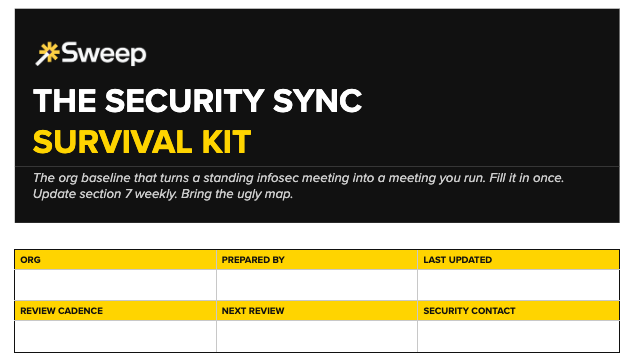
We built a template for exactly this situation, a one-document org baseline that becomes the standing agenda. Download the Security Sync Survival Kit in Google Doc form here. Or, use our new handy local app. The rest of this piece is about why it works and how to use it.
Ask admins who've lived through a standing infosec sync and you’ll hear the same tales.
Half of every session gets burned explaining Salesforce's access model from scratch, and the other half gets burned on one-off questions that generate action items nobody scoped.
To their credit, Salesforce is a strange place from the outside, and the people responsible for securing it at most companies have never administered it. They secure networks, endpoints, and identity providers. Then someone hands them a CRM with fifteen years of accumulated customization, a few hundred integration touchpoints, and now agents acting inside it, and asks them to assess the risk.
They can't. Not alone. Which is the part most admins miss: the knowledge gap that makes these meetings miserable is also what makes you the most important person in the room. You are the only one who can translate the org into risk language. The survival kit is how you do it once, in writing, instead of forty times out loud.
Admins who've made these syncs work, we’ve found, all converge on the same move. Before the first meeting, they build a single point of reference: a map of everything in the org that security actually cares about, and they bring it unprompted.
Done right, that doc stops being a handout and becomes your standing agenda. The random screenshot questions dry up because there's a baseline to point to. The meeting shifts from discovery to review.
Our checklist walks through seven sections, and the sequence matters because it mirrors how security thinks about your org:
Each section in the template carries a short note explaining why security asks.. that's the translation layer. Fill it in and you've mapped your org to their framework once, instead of relitigating vocabulary every Thursday.
Section six is a known-issues ledger, and it's the part admins resist.
The instinct before a security review is to sanitize. Present the architecture diagram from the implementation deck, the one with clean boxes and orderly arrows, and hope nobody asks what's underneath. Every admin knows that diagram is fiction. The real org has flows nobody remembers building, integration users named after employees who left in 2021, and a permission structure that reflects a decade of exceptions.
Bring that one. The real one.
Security teams deal in known and unknown risk, and the entire discipline is built on preferring the first kind. "Here are five problems we've already found and here's the cleanup plan" reads as competence. A pristine diagram that falls apart when someone discovers a random connected app live in the meeting reads as either negligence or concealment, and both cost you the room permanently. The mess was never the thing that gets you flagged. The surprise is.
The template bakes this in as a house rule: nothing on the ledger page should be news to you. If security finds it before you list it, it moves to the top.
There's a deeper reason this works, beyond meeting tactics. Every strange flow and legacy field encodes a decision your business made, and an accurate map of that tangle is the only real answer to the only real question security is asking: what can happen here, and would we know? A false clean picture answers neither. The ugly map answers both.
Section seven, "since last sync,” is what turns the whole thing from a one-time audit into a standing agenda. It's four lines: what changed, what's new, what closed, what security asked that you couldn't answer on the spot. It's the first thing anyone reads in week two, and it's the reason the meeting eventually gets shorter instead of longer.
The Salesforce security review checklist works. It also goes stale the week after you build it.
Every admin who's assembled one by hand says a version of the same thing: the document was accurate for exactly oh…. one meeting. Then someone installed an app, a consultant added a flow, an agent got new permissions, and the map sneakily diverged from the territory. Now you're maintaining a second job, SF archaeologist, on top of your first one, and the standing sync has a standing prep tax.
This is the problem underneath the meeting. Not that security is asking questions, but that answering them requires visibility into your metadata that Salesforce doesn't give you natively and that no human can keep current by hand. The survival kit is a snapshot. What the sync actually needs is a live feed.
That's the layer Sweep operates in. It reads your org's metadata continuously: the connected apps, the integration users, the permission architecture, the automations, the agent touchpoints… and keeps the map current without anyone maintaining it. Bring the ugly map. Just don't draw it by hand every week.
Steal the Google Doc here and walk into your first sync with the agenda already written.