

Deep-Dive Use Cases, From Troubleshooting to Compliance
Before diving into use cases, it’s worth grounding this effort in reality. Salesforce does provide all the necessary data to understand access — but it’s fragmented across:
Answering a single question like “Why can’t this user edit this record?” often means:
Admins know this process by heart and it’s exactly why permissions work consumes hours every week. The Permissions Agent doesn’t replace Salesforce’s model. It replaces the processes required to understand it.
A Slack message, a support ticket, or someone leaning over a desk: “Hey, I can’t edit this record.” Sometimes it’s a missing field. Sometimes, it’s a button that disappears overnight. Occasionally, it’s a deal that’s suddenly blocked for no obvious reason. But nothing looks broken, no deployments went out, no alerts fired. And yet, something changed.
For the Salesforce admin, this is familiar territory. You open the user record, check their profile, scan through permission sets. You compare what they have against someone it does work for. You trace object access, then field-level security, then sharing rules.
Native Salesforce workflow
Admins typically:
This can take 30–60 minutes for a single user.
What makes these issues so time-consuming isn’t complexity in isolation. It’s layering. Salesforce permissions are additive, inherited, and overridden in ways that only reveal themselves when viewed together. A single missing checkbox can be the result of half a dozen interacting decisions made months or years apart. By the time you find the answer, 45 minutes have passed. The fix is often small. The effort to understand it was not.
With the Permissions Agent, that investigation collapses into a question.
Instead of navigating Setup, exporting reports, or recreating access paths in your head, you ask: Why can’t this user edit this record? The agent evaluates the user’s effective permissions across profiles, permission sets, and field access, then explains where access is being blocked and why. What changes isn’t just speed — it’s certainty. You’re seeing the actual answer, grounded in Salesforce’s full permission model.
With the Permissions Agent
You ask:
The agent evaluates permissions explains:
Access issues are resolved in minutes, not an hour.
This is what troubleshooting access issues looks like when permissions are something you can reason about directly, instead of something you have to reconstruct under pressure.
Who actually has access to our data? On the surface, the question sounds straightforward. In Salesforce, it never is.
This comes up during:
Permissions are spread across profiles, permission sets, role hierarchies, and historical exceptions that made sense at the time. Some users were granted elevated access for a migration. Others inherited it during a reorg. A few haven’t logged in for months, but still carry powerful permissions simply because no one has revisited them.
When an audit starts, admins shift from operating the system to explaining it.
Native Salesforce workflow
Audits usually involve:
A full audit often takes 2–3 days.
They run user reports. Then permission reports. Then login history. They export everything to spreadsheets, cross-reference access manually, and try to build a coherent picture of risk from fragmented data. Each pass reveals another question: Does this admin still need ModifyAllData? Why does this inactive user still have a license? How many people can export customer data?
By the time the answers come together, days have passed. And even then, the findings are correct as of the moment the reports were pulled — not necessarily now.
With the Permissions Agent, that process changes fundamentally.
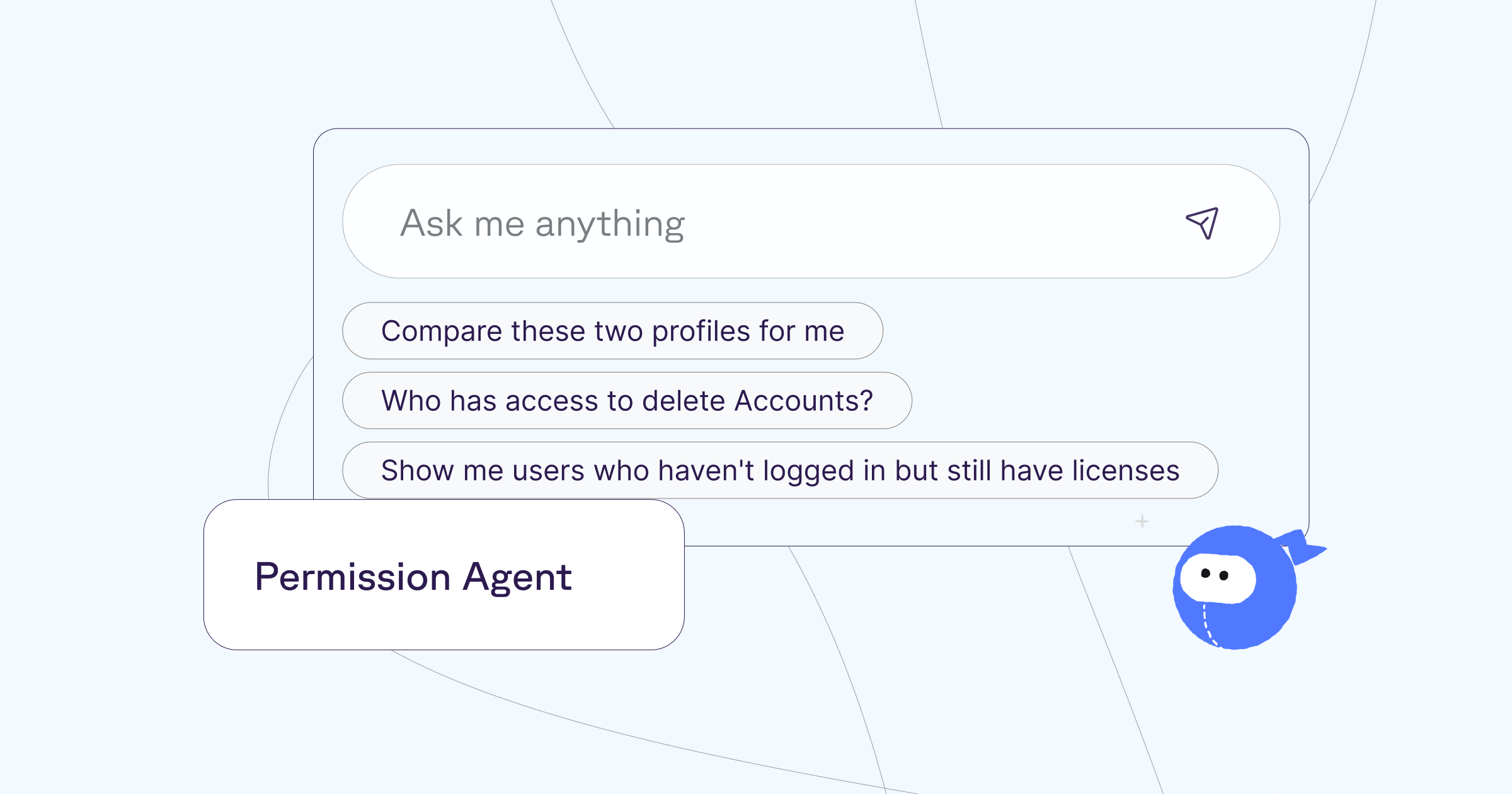
Instead of assembling evidence manually, teams ask direct questions: Who has ModifyAllData or ViewAllData? Which admins haven’t logged in recently? Who can export data? The agent evaluates effective permissions across the org and surfaces the results with context — not just names, but why access exists and where it comes from.
With the Permissions Agent
You ask:
The agent surfaces:
In a real 104-user org, the agent uncovered:
A security audit completed in ~20 minutes, not days — with findings that are immediately actionable.
What stood out wasn’t the presence of these issues. It was how quickly they became visible.
The same analysis that typically requires two to three days of focused work was completed in about twenty minutes. The results weren’t just faster — they were immediately actionable.
This is what security reviews look like when permissions are something you can inspect directly, rather than reconstruct under pressure. Audits become a continuous practice instead of a quarterly fire drill. Leadership questions are answered with clarity instead of caveats. And admins spend less time defending spreadsheets, and more time reducing real risk.
Why are our Salesforce costs so high? Are we actually using all these licenses?
New teams get onboarded, a temporary contractor is given full access, an employee changes roles but keeps their old license. Over time, Salesforce becomes more expensive because teams lack visibility into who is actually using what.
Answering that inside Salesforce is harder than it should be. License assignment lives in one place, login history in another, activity is scattered across reports that don’t tell a complete story on their own. To understand whether a license is justified, admins have to manually correlate access, usage, and role context often by exporting data and working through spreadsheets that age the moment they’re created. As a result, license reviews are delayed or skipped altogether.
Native Salesforce workflow
Admins often:
With the Permissions Agent, that hesitation disappears.
Instead of piecing together signals manually, teams ask straightforward questions: Which users have never logged in? Who hasn’t been active recently but still holds a license? Which users have expensive licenses with minimal usage? The agent evaluates license assignments alongside login activity and effective access, surfacing patterns that are otherwise easy to miss.
With the Permissions Agent
You ask:
The agent correlates:
License optimization stops being a once-a-year exercise driven by renewal pressure. It becomes an ongoing practice grounded in visibility.
Salesforce orgs age over years of growth, acquisitions, and shifting teams. Eventually, no one is quite sure which access models are still valid.
Governance issues live in inconsistencies like users without roles, profiles labeled “Do Not Use” that still have active assignments, and a growing number of System Administrators added over time to unblock work, but never reduced once the urgency passed. In Salesforce, identifying this drift is possible, but slow.
Native Salesforce workflow
Governance reviews require:
As a result, governance reviews tend to be reactive. They happen during audits, reorganizations, or incidents but not as part of normal operations.
The Permissions Agent changes this dynamic by making governance questions explicit and answerable.
With the Permissions Agent
You ask:
The agent makes drift visible:
Governance stops being about tribal knowledge and becomes something observable. Admins can understand the impact of changes and clean up access with confidence instead of caution.
Across common permissions tasks, teams using the Permissions Agent see a 97% reduction in time spent on permissions analysis:
| Activity | Before | With Sweep |
|---|---|---|
| Profile inventory & user counts | 2–3 hours | 2 minutes |
| High-risk permission analysis | 3–4 hours | 3 minutes |
| Troubleshooting access issues | 30–60 minutes | 2 minutes |
| Full security audit | 2–3 days | ~20 minutes |
Salesforce permissions don’t need to be mysterious to be powerful. The controls are already there — what’s been missing is a fast, reliable way to understand how they work together in practice.
The Permissions Agent turns permissions from something admins reconstruct under pressure into something teams can reason about continuously. Questions get answered in minutes, audits become routine instead of disruptive, license costs become visible, and governance stays intentional as the org evolves.
If you want to see what this looks like in your own Salesforce org, book a demo of the Permissions Agent and start asking questions about your security in plain English with answers you can trust.